The Do not contact feature
In this update, we’re introducing:
- The Do not contact list to help you manage contacts who should not receive communications.
Do not contact list
The Do not contact list is a new feature within HoodEngage designed to manually add and manage contacts who should not receive messages, ensuring compliance with customer preferences, regulatory requirements, and internal business rules.
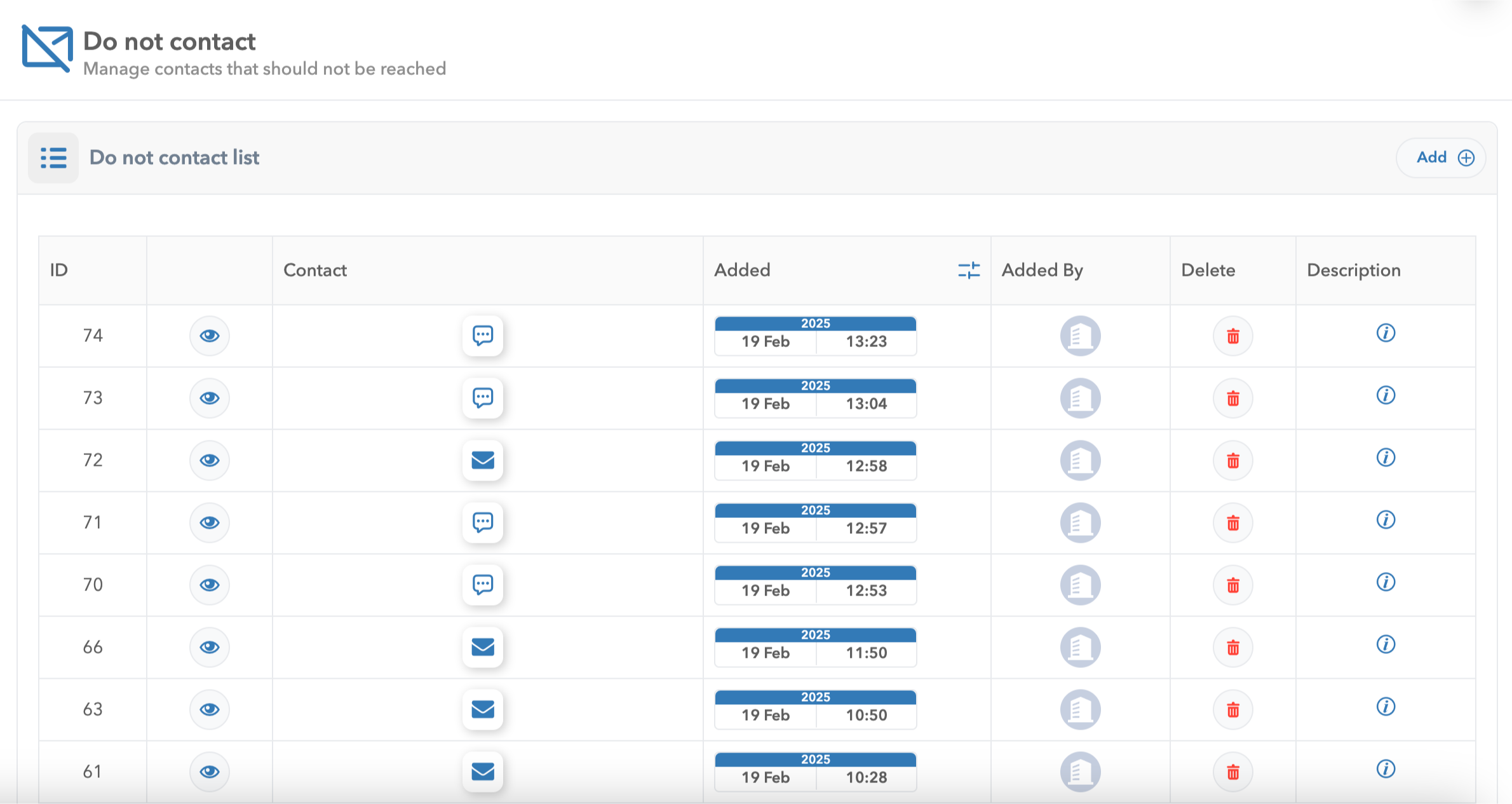
The Do not contact list dashboard in HoodEngage
The feature supports both email and SMS opt-outs and it provides a clear timestamp of when a contact was added and who added it for transparency and audit tracking.
If needed, contacts can be easily removed, keeping your lists accurate and up to date.
How it works
To access the Do not contact list:
- Navigate to the Do not contact tab in HoodEngage.
- Add contacts manually via the Add button in the top right corner.
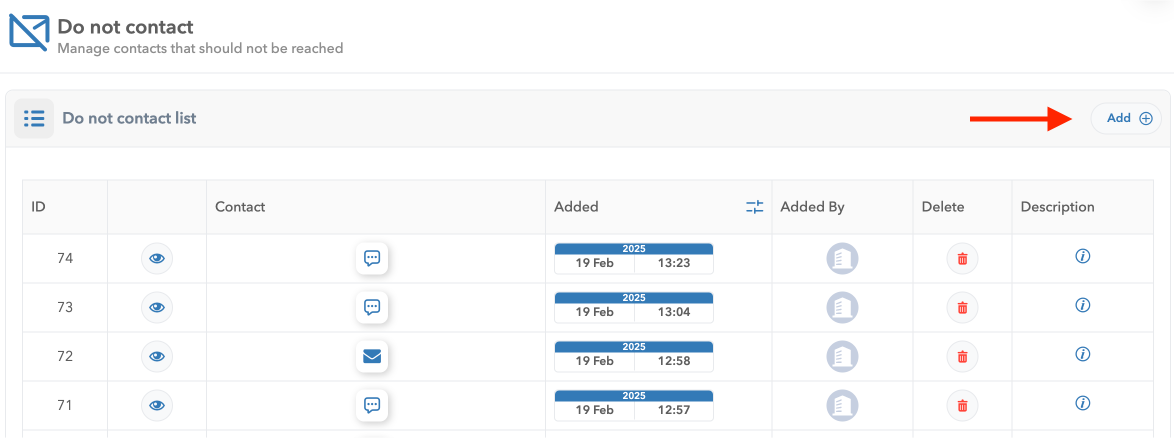
The Add option in HoodEngage, Do not contact list
- Contacts in this list will be automatically excluded from all future messaging campaigns.

The Add form for Do not contact list
Furthermore, contacts can also be added to the Do not contact list directly from their user profile.
To do so, navigate to the Users tab in HoodEngage.
Click on the user you would like to exclude from future communications, and then click on the Eye icon next to the phone number or email field. The Add to the contact list will show. Click on it to add the user to the Do not contact list.
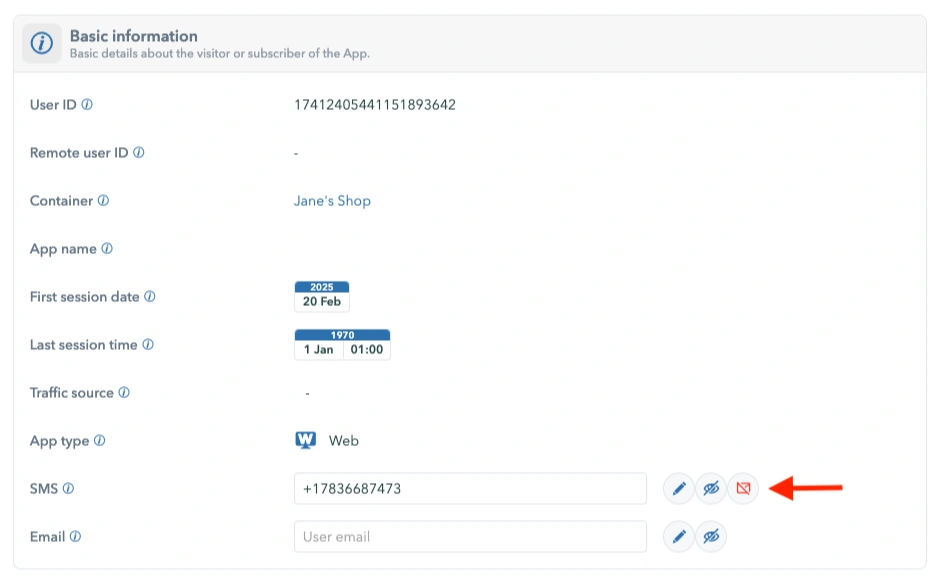
The Do not contact from user list
For detailed guidance, check out the Do not contact list docs.